

Requirements
- React Native 0.73+ or Expo SDK 50+
react-native-webview>= 13react-native-safe-area-context>= 4
Expo Go can preview the sheet and hosted eSewa/Khalti screens. Native QR
sharing and reliable installed-app detection require the config plugin and a
development build. Expo Go cannot apply native app-query configuration.
Installation
app.json
How it works
Your backend creates an amount-bound session using your secret API key. Your app receives that short-lived session and uses a publishable key to present the server-approved methods. Your secret API key never touches the device.Payment sheet (recommended)
The payment sheet asks your backend for one session and renders whatever payment methods PayBridgeNP resolved for that merchant. Your app never picks a provider and never builds a payment UI, so turning Fonepay on for a merchant is a dashboard change, not an app release.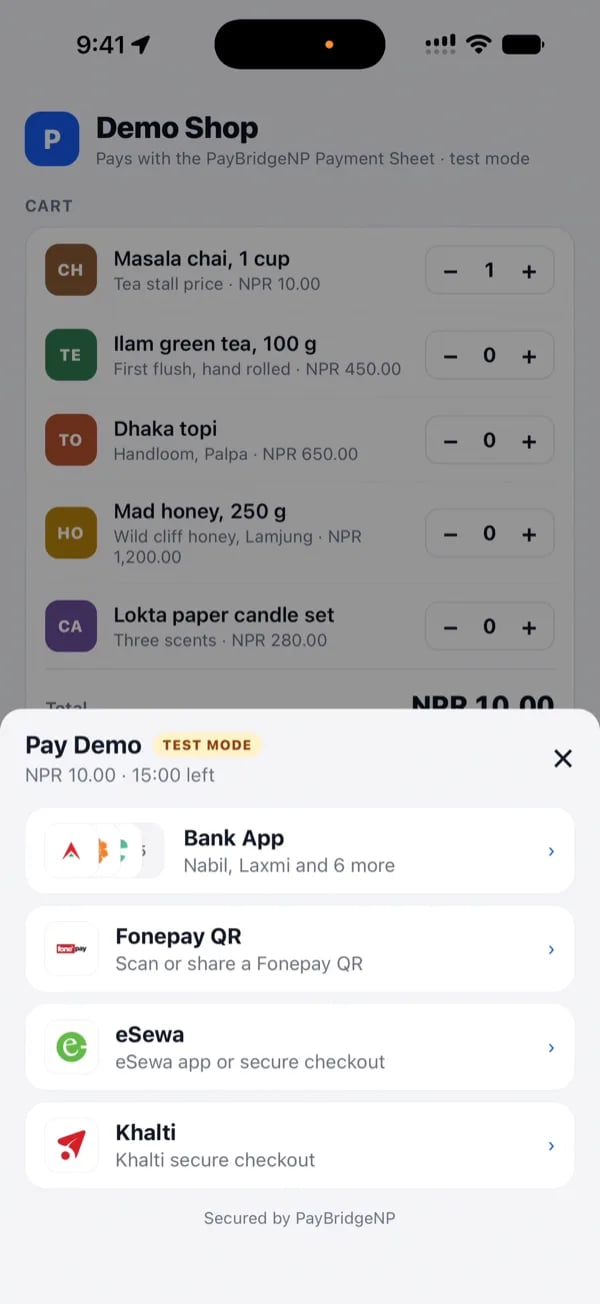
A merchant with Fonepay: Bank App (detected apps only), Fonepay QR, eSewa, Khalti.
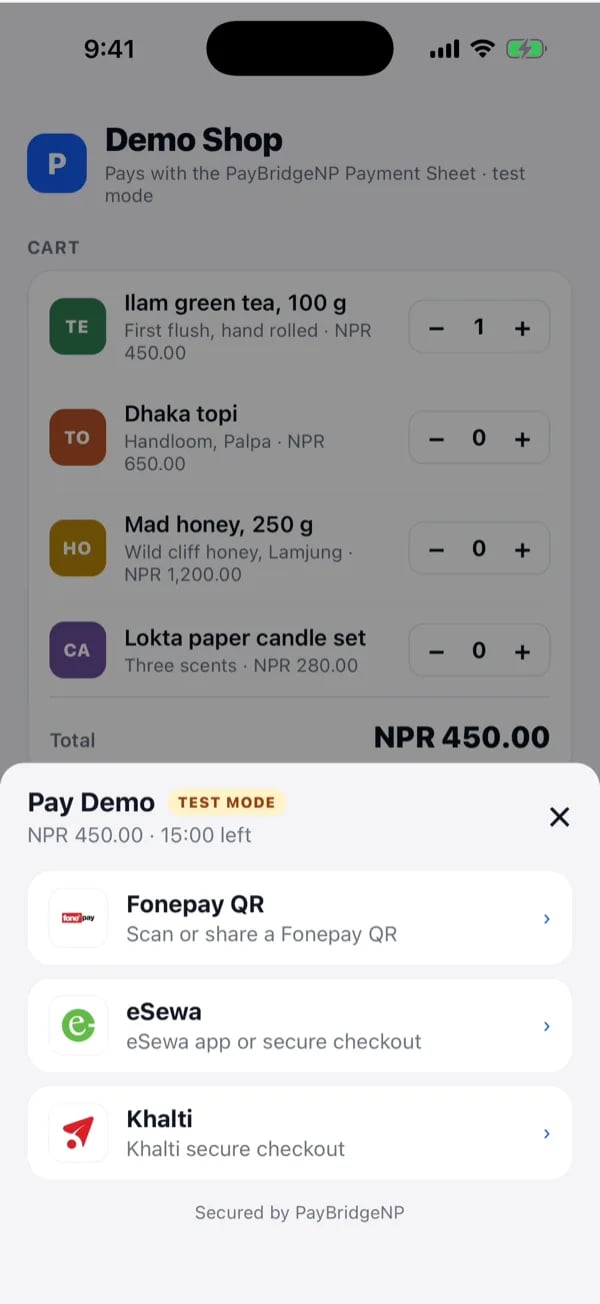
The same sheet for a merchant without Fonepay bank-app access: Fonepay QR, eSewa, Khalti.
1. Your backend creates a session
Session creation requires thepayments:write scope when your secret key has an explicit scope list. Unrestricted secret keys continue to work. The app uses a publishable key and the session client secret for the device calls.
Call POST /v1/mobile/session with your secret key and no provider:
methods is computed server-side from the merchant’s enabled providers, their
mode, their plan and the amount. A method the merchant cannot actually use is
never returned, so the sheet cannot show a dead option.
The device puts Bank App before Fonepay QR when a supported bank app is
installed. One installed bank opens directly; multiple installed banks appear
in a compact picker. Eligible eSewa Intent opens only when the eSewa app is
detected. Otherwise, the sheet keeps the buyer in eSewa’s hosted checkout.
Return session_id and client_secret to your app. Do not send your secret
key to the device.
Use one stable Idempotency-Key per merchant order. A retry after a timeout or
app restart then returns the same session instead of creating a second payable
session.
2. Your app presents the sheet
The device authenticates with your publishable key plus the per-session
client secret. The publishable key is safe to ship in your app; the client
secret authorises exactly one payment and expires with the session.
How each method behaves
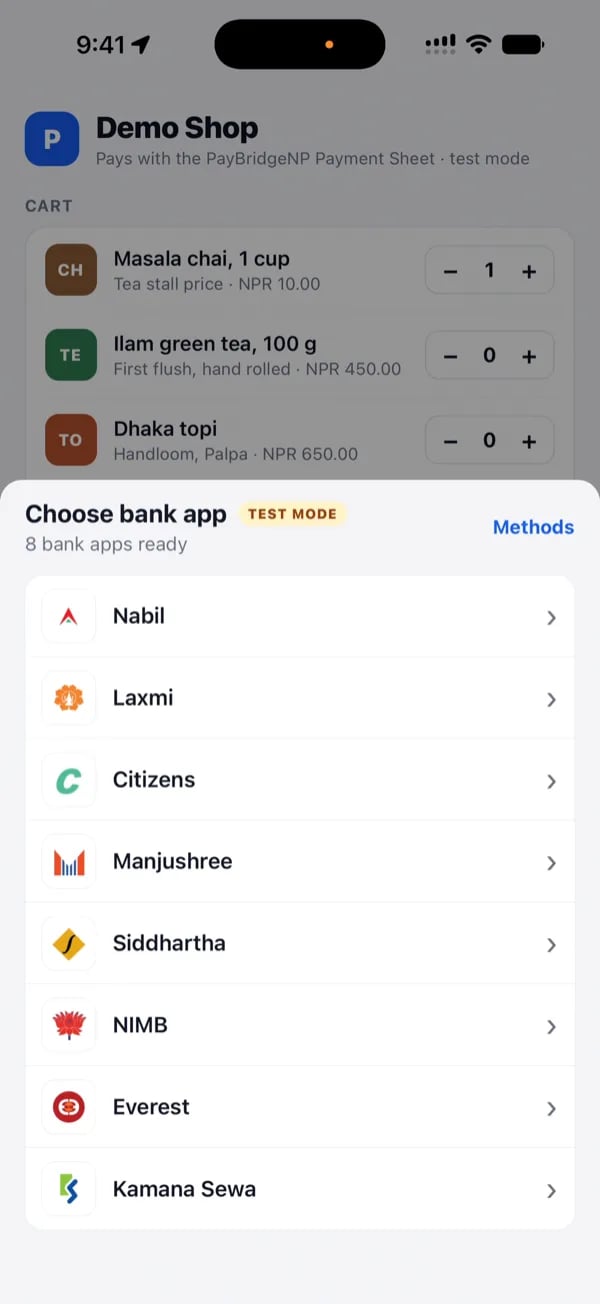
Bank App lists only the bank apps installed on the device.
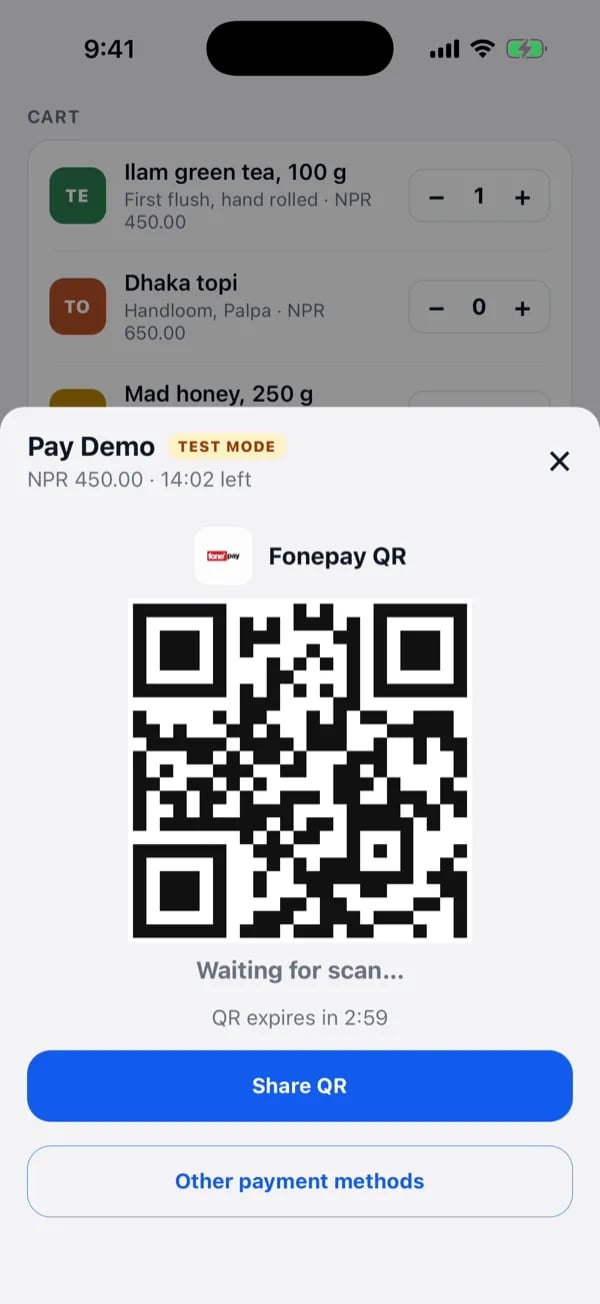
Fonepay QR renders natively with a countdown and a Share QR button.
Confirming a payment
onComplete runs after PayBridgeNP’s status endpoint reports success or
expired. Failed or cancelled provider attempts return to the method picker
when it is safe to retry. A buyer can still close their bank app after paying, so
your backend must treat the payment.succeeded webhook as the fulfillment
authority, exactly as it does on web.
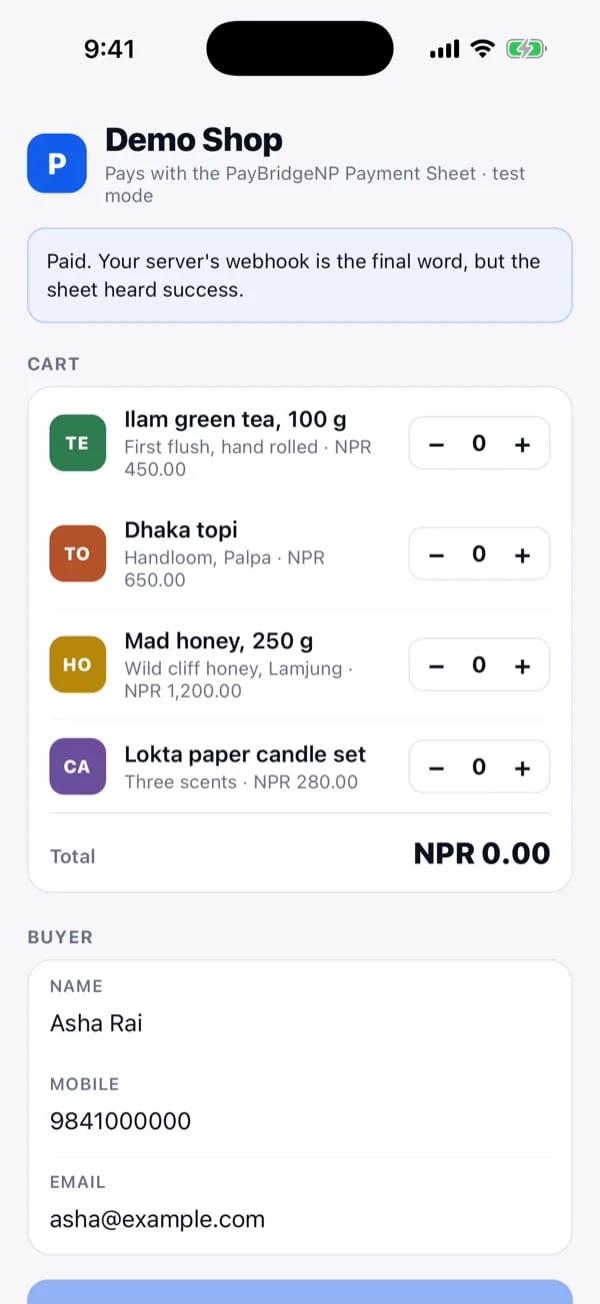
The demo app after onComplete: the sheet heard success, the server's webhook is still the final word.
App restart recovery
The SDK does not own your app navigation or silently persist a client secret. Keep the active session in platform-secure storage and callresume(session)
after restoring your checkout screen. Clear it after onComplete or an explicit
sheet close. On Android, initialise callbacks from lifecycle setup rather than
depending on in-memory checkout variables.
Theming
appearance accepts tokens only: colors, radius, typography and the primary
button. Light and dark are both supported. Layout is deliberately not
overridable so the sheet stays upgradeable.
Usage (legacy usePayBridgeNP)
usePayBridgeNP hook (recommended)
Let the user pick the provider - session is created lazily after they tap.
Pre-built session
Use this when your backend picks the provider before showing the sheet.ProviderSheet directly
API reference
usePayBridgeNP(options)
Returns
{ present, dismiss, isVisible, sheetProps }.
Pass either
session or createSession - not both. createSession is preferred as it defers session creation until the user has picked a provider.ProviderSheet props
Same options as usePayBridgeNP, plus visible: boolean.
PayBridgeNPMobileConfig
PayBridgeMobileConfig is still exported as a deprecated alias, so existing imports keep compiling.
CheckoutResult
MobileSession
Sandbox testing
Create the session on your backend with ask_test_... key and the sheet runs in test mode. In test mode, PayBridgeNP uses its own eSewa and Khalti sandbox credentials, so you do not configure anything for those two providers; the buyer just logs into the provider’s test environment with the test accounts below. Fonepay is different: it has no test environment at all.
eSewa (sandbox, rc-epay.esewa.com.np)
Khalti (test checkout,
test-pay.khalti.com)
Khalti’s test wallets are shared by every integrator.
9800000001 to 9800000004 are often drained or return “insufficient balance”, “similar request already being processed”, or a 400; those messages come from Khalti’s sandbox, not from your integration.
Fonepay (no sandbox, real money)
The sandbox testing guide walks through the same flow on the hosted checkout page.