

Who this is for
- You run a Shopify store with customers in Nepal
- You want to accept eSewa, Khalti, or Fonepay - the three wallets most Nepali customers actually use
- You already have (or can create) a PayBridgeNP account with a
sk_live_…orsk_test_…API key - Your prices are in NPR
What it looks like
The app is embedded directly inside your Shopify admin - same navigation, same theme, same keyboard shortcuts. Here’s the dashboard a merchant sees after installation: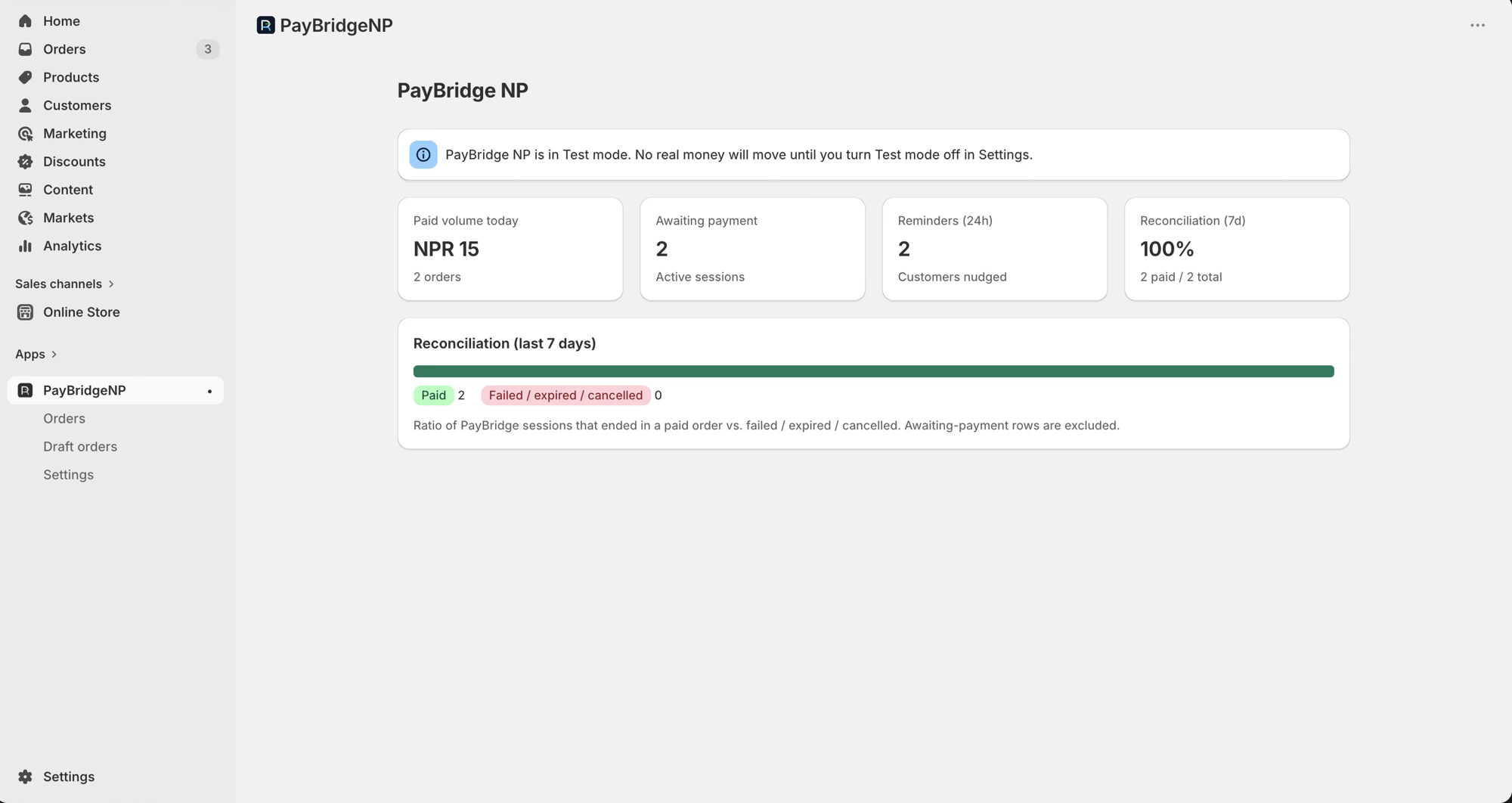
What you get
- Pay-by-link by SMS and email. After the buyer completes the native Shopify checkout with the PayBridgeNP manual payment method, they get a branded SMS and email containing a PayBridgeNP payment link. Tapping the link opens a hosted checkout where they choose eSewa, Khalti, or Fonepay.
- Automatic reconciliation. When the customer completes the PayBridgeNP payment, the Shopify order flips to Paid within seconds - no manual order matching.
- Customer account “Pay now” button (optional). Add the PayBridgeNP block to your Customer Account order page so returning buyers can pay from their order history in one tap, without needing the SMS or email link.
- Reminders + auto-cancel. If a customer places an order but doesn’t pay, they get follow-up SMS and email reminders. Unpaid orders auto-cancel after the configured window with inventory restocked.
- Partial refund support. Refunds you process in the PayBridgeNP dashboard mirror onto the Shopify order automatically - the order flips to Partially refunded or Refunded depending on the amount.
- Draft order payment links (Growth or higher). Build a draft order in Shopify admin, click Send payment link, and the customer gets an SMS + email with a checkout URL.
- Privacy webhooks built in. Handlers for Shopify’s customer data request, redact, and shop redact webhooks, so customer data is exported or deleted on request.
Where PayBridgeNP fits
Shopify owns the cart, checkout, shipping, discounts, taxes, customer addresses, and the thank-you page. PayBridgeNP follows up after the order is placed - we deliver the payment link by SMS and email, host the wallet-picker checkout, and mark the order Paid when the wallet confirms. Everything else on your store stays 100% native Shopify.What this integration does NOT do
Be aware of the following limitations before installing:- No checkout customization. PayBridgeNP does not modify or replace Shopify’s checkout flow. Customers complete the standard Shopify checkout first, then receive the PayBridgeNP payment link by SMS and email. This is by design - it keeps the integration fully compliant with Shopify’s API Terms.
- No refund-from-Shopify-admin. Shopify’s manual payment methods don’t support in-admin refunds. Refunds must be processed from the PayBridgeNP dashboard; the Shopify order is updated automatically afterwards.
- NPR only. If your store’s currency is not NPR, orders placed with the PayBridgeNP payment method are skipped (logged server-side - no payment link is sent). No order note is written to the Shopify order today, so check the order currency if a PayBridgeNP order never gets a link. Multi-currency support is on the roadmap.
- No subscriptions. One-off payments only. If you need recurring billing, use PayBridgeNP’s billing plans directly from your backend.
- No Nepali-3DS. None of the supported wallets use 3DS, so this isn’t actually a gap - just noting it for anyone migrating from a card processor.